
What a burner email is
A burner email is a throwaway address you use once and then abandon. You hand it to a site that demands an email, catch whatever it sends you, and never touch the address again. The name comes from burner phones: cheap, disposable, and not worth tracing back to you.
The word carries an instruction most people ignore. A burner is only a burner if you actually burn it. Use the same throwaway address across a dozen signups and you've built yourself a second permanent inbox, with all the same spam problems and none of the protection you were after.
Three different setups go by the name "burner email," and they behave nothing alike. Picking the wrong one is the usual reason people come away saying burner addresses didn't work for them.
Why "burner" and not just "temporary"
The two words point at different things. "Temporary" describes the address: it has a timer on it. "Burner" describes your intent: you're planning to throw this away, and the plan is the point.
That difference shows up in how people use them. Someone who says "temp mail" is usually thinking about the countdown on the provider's page. Someone who says "burner" is thinking about a habit: fresh address, one job, gone. The habit matters more than the timer, and it's the part these guides usually skip.
The three things people call a burner email
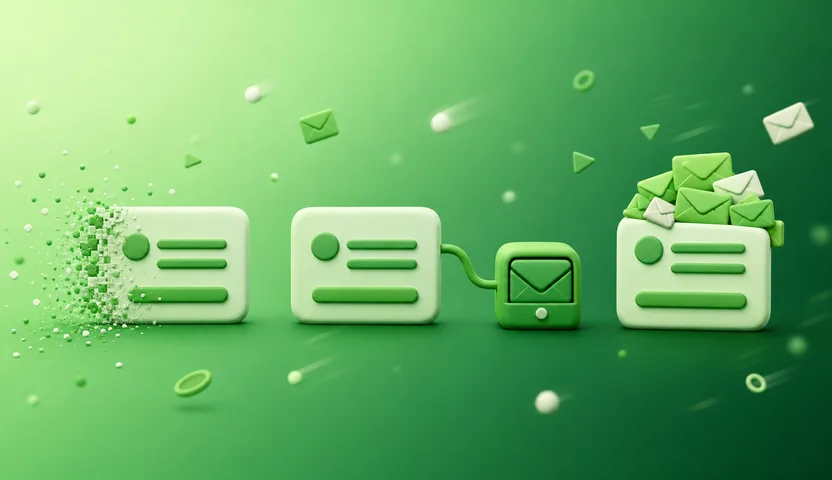
A temporary inbox. A fresh address on a shared domain, handed to you instantly, receive-only, deleted when it expires. Temp Mail, Guerrilla Mail, 10 Minute Mail, and SecondInbox all work this way. No signup, no password, nothing to manage. The appeal is that it burns itself: you don't have to remember to do anything. We covered the mechanics in what is a disposable email address.
A forwarding alias. A unique address per site that forwards to your real inbox. SimpleLogin and addy.io do this, and there's a paid service literally named Burner Mail built on the same idea. Mail keeps arriving where you normally read it, but each sender only ever sees the alias. Nothing self-destructs here: you burn an alias by deleting it, which stops that one sender and leaves the rest working. If you're weighing this against a temp inbox, we broke it down in temporary email vs alias forwarding.
A whole second email account. A spare Gmail, Outlook, or Proton account set up "for junk." This is what a lot of people reach for first, and it's the weakest of the three by a wide margin.
Quick verdict: for a one-off signup you'll never log back into, the temporary inbox wins on speed. For a sender you want to keep hearing from but might need to cut off later, the alias wins. The second account loses to both.
The burner Gmail mistake
Making a spare Gmail feels like the obvious move. It's free, you already know how, and you end up with a real address that no site will reject. Then the problems start.
Google may ask for a phone number. Account creation often triggers verification, and Google's own support page notes that numbers get blocked after repeated use. So the trick works once or twice and then stops. Worse, you've now attached your actual phone number to the address that was supposed to have nothing to do with you.
It never gets burned. Nobody deletes these. Six months later it's a second inbox sitting there with 900 unread messages, and you're checking two places instead of one. The whole point of a burner is that it stops existing. An account you have to remember to destroy is an account you won't destroy.
It's linked to you anyway. You created it in your normal browser, from your normal IP, usually while signed into your main Google account. That's a lot of connective tissue for something meant to be unattached.
It's slow. Three or four minutes of forms and verification, versus a few seconds for a temp inbox. That gap is the difference between using a burner every time and giving up after the third signup.
If the reason you want a burner is to skip phone verification, a second Gmail is the worst available option. There are ways to get an email without phone verification that don't involve handing Google your number first.
Actually burning it
The rule that makes burners work: one address per signup, not one address for everything.
Reuse is what quietly kills the benefit. If you use myburner@ for a store, a forum, and two free trials, then one of those four leaks or gets breached, and now all four know where to reach you. Spam sorts itself into that inbox and you're back to filtering. Give each signup its own address and a leak only ever burns one relationship.
Cases where the pattern fits cleanly:
- Free trials. Sign up, use it, and the "your trial is ending" sequence has nowhere to land. More on this in our guide to temp email for free trials.
- One-time downloads. The gated PDF that costs you an email address. Take the download, drop the address.
- Forums and communities. Reading and posting without your real address attached. Here's how that plays out for forum accounts.
- Anything you're only sampling. A newsletter you might not keep, a tool you're trying once.
And the line that decides it: never burn something you'll need to recover. If the account might need a password reset, an order confirmation, or a receipt six months out, a burner is the wrong tool. Once the inbox is gone, so is every way back in.
What a burner email won't do for you
Some honest limits, because the burner-phone comparison oversells this.
It isn't anonymity. A burner keeps your address out of a marketing database. It doesn't hide you. The provider sees connection data, and the site still gets whatever else you typed into the form. We got specific about this in are disposable emails traceable.
Plenty of sites block them. Google, Facebook, and most banks check signups against lists of known disposable domains and reject them. That's the anti-fraud system working as designed, not a bug in the tool. For those signups you'll need a real address.
Most temp inboxes can't reply. They receive. If the thing you're signing up for needs a conversation, this isn't the right choice.
Slow verification emails can beat the clock. Some services take longer to send confirmation than a 10-minute inbox lasts. Pick a provider that lets you extend the window, or you'll be generating a second address and starting the form over.
Open a temporary email service and one is generated for you on the spot. No account, no password, no personal details. Copy the address, paste it into the signup form, and read the incoming mail in the browser.
Not easily, but "hard to trace" isn't "untraceable." The provider can see connection data like your IP, and anything else you hand the site you signed up for still identifies you.
Use a temporary inbox rather than creating a new Gmail or Outlook account. Temp services don't ask for a phone number because there's no account to secure. Google, by contrast, often requires phone verification.
The temporary-inbox kind is free, including on SecondInbox. Some alias-forwarding services charge once you go past a handful of aliases or want to use your own domain.
Yes. Keeping your real address out of a marketing list is ordinary privacy hygiene, in the same category as declining cookies. Using one to farm accounts or evade a ban is a different matter, and it's part of why some sites block disposable domains at all.
The take
A burner email is a throwaway address with a job and an expiry date, and the three versions of it are not interchangeable. Use a temporary inbox for signups you'll never return to. Use an alias when you want to keep receiving mail but reserve the right to cut a sender off. Skip the spare Gmail: it costs you a phone number, takes ten times as long, and never actually gets burned.
The one habit worth taking from this: a fresh address every time. That's what separates a burner from a second inbox you'll regret.
Keep reading
The Best Email to Use for Spam Signups: 5 Options Ranked
A disposable inbox wins for most signups and an alias wins for the rest. The best email to use for spam signups, ranked, with the real limits of each.
Why Websites Block Temporary Email (And How They Spot It)
Websites block temporary email to stop fake accounts and trial farming. Here's exactly how they detect disposable domains, and when to just use your real one.